No special equipment needed.Use the tablet or smartphone you already haveand start mobile ordering right away.
Designed specifically for Indian and Nepali restaurants.
Start mobile ordering easily with your restaurant's own tablet or smartphone.
We handle all menu registration and initial setup for you
No tedious preparation needed. Just keep running your restaurant as usual.
What our pilot restaurant owners say
4 restaurants are already using Hirolia as early adopters. Here is what they honestly think.
Taking orders and handling checkout has become so much easier. Before, we were always scrambling to explain the menu and confirm orders. Now that customers order from their own phones, we can focus on everything else.
Time spent on orders and checkout reduced significantly
The biggest relief is that staff can now take orders even when I'm not there. Before, things wouldn't run without me, so I couldn't step away. That problem is gone now.
Staff can now handle orders without the owner present
Common Troubles at
Indian Curry Restaurants
These problems can be solved with systems, not just hard work.
Orders get misheard,
dishes have to be remade
Disputes over naan refills
and spice levels
Japanese-language explanations
are a heavy burden on staff
Complaint handling falls on one person —
chaos when the owner is away
Hirolia focuses on "ordering" and "checkout" to solve these reliably.
Mobile ordering designed specifically
for the challenges of
Indian curry restaurants
3 Key Features
Not a feature-heavy, expensive tool —
just what your restaurant actually needs, delivered reliably.
Language-independent ordering
Customer screen in Japanese. Staff screen auto-switches to Nepali or English.
Minimizes verbal exchange and prevents miscommunication.
Don't digitize everything
Only ordering and checkout are digitized.
Keep your current register and cash handling as they are. Reduce trouble without changing how your restaurant works.
All you need is one tablet
One kitchen tablet, a QR code at each table, and your customers' smartphones.
No extra register hardware or expensive equipment needed.
5 Simple Steps
Instead of paper order slips, everything is recorded digitally.
QR Scan
Customer scans the table's QR code and orders from their smartphone
Display in Kitchen
Orders appear on the kitchen tablet in real time
Cook & Serve
Update status to share progress among staff
Checkout Button
Customer presses "Checkout" and staff receive a notification
Pay at Your Register
Staff check the amount on the screen and enter it into the register. Order history is kept digitally.
Devices & System Requirements
No special equipment needed. Use the devices you already have.
Customer's Smartphone
Customers order from their own smartphones. No app installation required.
- Camera capable of scanning QR codes
- Standard browser (Safari / Chrome)
- Works on iOS and Android
Staff Tablet or Smartphone
Used to view orders in the kitchen or on the floor. Recommended devices are iPad or Android tablet.
- Recommended: iPad or Android tablet (7"+ screen)
- Standard browser (Safari / Chrome)
- Smartphones also supported
※ Receipt printing is supported on Android tablets only. Please talk to your Hirolia representative before signing a contract.
Internet Connection (Wi-Fi)
A stable internet connection is required to receive orders in real time.
- Wi-Fi connection (wired LAN also supported)
- Pocket Wi-Fi routers work too
- Unstable connection may affect order delivery
Receipt Printer
OptionalPrint order receipts if you have a compatible printer.
- Recommended model: MUNBYN PP047 (Bluetooth / USB)
- Star Micronics mC-Print3 is also supported (USB / Bluetooth / LAN)
- Our team helps with installation and setup
Hirolia is a "system", not just a "tool"
Feature-heavy, expensive, long setup times — Hirolia is the opposite.
Not overloaded with features
Focused on orders and checkout only. Less to learn — anyone can master it.
Start with 1 month free
Get started with low risk thanks to our 1-month-free launch offer.
No time wasted on
training or manuals
Simple screens and multilingual display mean staff can use it right away — no training needed.
Hirolia is not a "convenient tool" —
it's a "system to prevent conflicts at Indian curry restaurants."
Clear pricing, simple setup
No hidden costs. Here are the exact specs.
Simple Pricing
No hidden fees. Feel free to ask us anything.
- ✓Use your store's tablet as-is
- ✓Monthly: ¥1,000 off first month
- ✓Annual: 1 month free
- ✓Setup support included
- ✓Japanese · English · Nepali support
※ Wi-Fi must be provided by the store
※ Setup support available at initial installation
FAQ
Answers to common questions before getting started.
We place a QR code at each table. Customers simply scan it with their smartphone camera to view the menu and place orders. No app download is required.
First, please fill out a simple Google Form. We will then set everything up with you online, with support by email or phone.
Once we receive your menu and store information, we complete setup within 2–3 days. Setup support is included, so you can leave it to us with confidence.
You can use the tablets or smartphones you already have at your restaurant. No new purchases are necessary.
Yes. There are no restrictions on table count or seat numbers. Small restaurants are already using it without any issues.
Yes. While Hirolia is designed for Indian and Nepali restaurants, its core features such as QR code ordering and checkout work for any type of restaurant. Feel free to contact us.
With a monthly contract, your first month is ¥4,500 (tax incl.) — ¥1,000 off. Annual contracts include 1 month free. A minimum contract period applies (2 months for monthly contracts; the initial 13 months for annual contracts).
Yes. You can add, edit, or delete menu items anytime from the manager screen — no need to ask a vendor. Edit freely from your smartphone or PC.
Yes. From the manager screen, you can freely configure spice level options, naan refill availability, pricing, and more for each store.
Yes, if you have a compatible printer. There are some device requirements, so please talk to your Hirolia representative for details.
Orders trigger an audio alert. On the staff screen, ordered items are color-coded so you can check the status at a glance.
No problem. All pages — staff, manager, and customer screens — are available in Japanese, English, and Nepali.
Generally, yes. Even a simple setup such as a pocket Wi-Fi router will work, but an unstable connection can stop orders from coming through, so we recommend the most stable connection possible. Please talk to us before getting started.
Yes. However, if you cancel within the minimum contract period (2 months for monthly contracts; the initial 13 months for annual contracts), you may be charged for the remaining months or an amount equivalent to the cost of the equipment. For annual lump-sum payments, the annual fee already paid is non-refundable. Please see the pricing page for details.
Submit your question via Google Form and we will reply directly to the email address you provided.
Still have questions? Feel free to reach out.
Get in touch →Business Overview
- Operated by
- Hirolia
- Started
- December 2025
- Business
- Development and provision of mobile ordering systems for restaurants
Planning, design, and operational support for multilingual systems - Target Market
- Food service industry centered on Indian/Nepali restaurants
- Contact
- romeliasenkin@gmail.com
Our Team
A team gathered to solve real-world challenges in the field.
Founder
Engineers
Sales
Get in touch — we are happy to help
First month free. Setup support included.
Let's solve the everyday challenges of Indian and Nepali restaurants together.
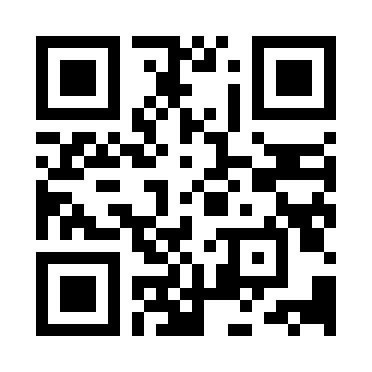
You can also reach us on LINE
Add us as a friend and send us a message.
Add friend on LINEOn a computer? Scan the QR code with your phone.
You can also reach us by email or LINE. Feel free to get in touch.